What it is
App Store and Google Play screenshots, built from your app's real captures and checked against the rules that get listings rejected.
store-shots is a native Mac app over an open-source engine that runs on your machine. There is no account, and nothing is uploaded unless you ask for it.
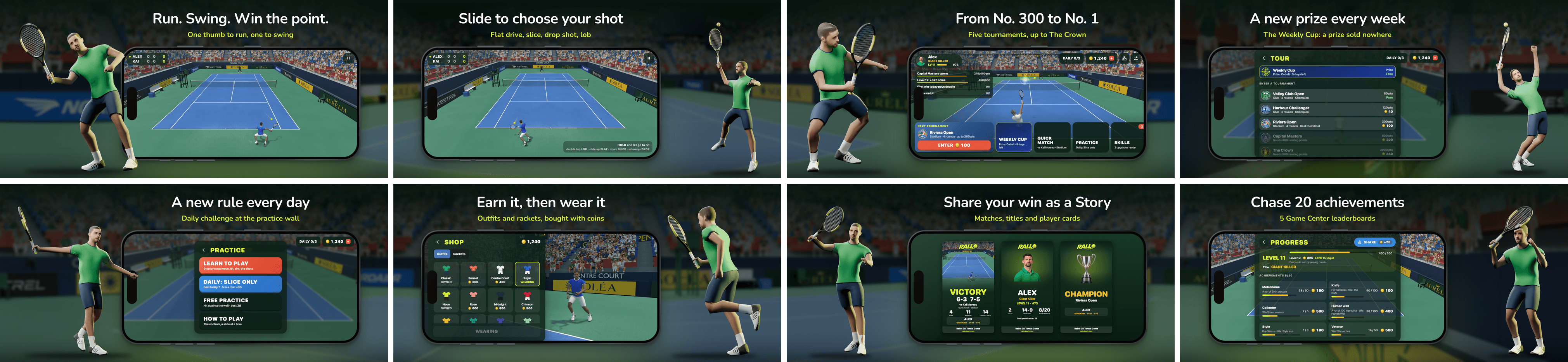
That listing is one app in the tool: the game's own captures in a real iPhone body, a 3D player rendered from the game's models in front of each phone, and a stadium backdrop that runs on from one screen to the next.
Making an image look good is the easy half. The other half is knowing, before you upload, that the German headline no longer fits at the smallest allowed size, that Arabic needs a fallback font for three glyphs, that the keywords are 104 bytes in Japanese, and that a caption still says "50% off". The tool checks all of that while you edit, and again before anything ships.
Four sections per app
- Design every screen on a canvas that is the exact render the store gets.
- Pages: the default product page, custom product pages, optimization tests, the iOS 27 header and search results images, and iPhone Duo sets.
- Listing: name, subtitle, keywords and the rest of the store text, per language, with the store's limits.
- Ship: readiness checks with the fix for each, a review of every file, fastlane uploads, and drafts in App Store Connect.
Three ways to run it
- The Mac app, for everyday work. It starts the engine itself.
- The command line, for CI and for working without a window. Everything the app does, the CLI does too.
- The browser editor (
store-shots open), the same canvas in a browser, for when you are not on a Mac.
Where your work lives
Everything the tool knows about an app is in the app's own folder, next to its code, so it is versioned with the app:
store-shots.config.json    devices, languages, brand, fonts
store/                     screens, copy, captures, art
fastlane/                  store text and the generated screenshots